A family operating system
Our family,
handled.
One app for our to-dos, groceries and trips, and a Mac at home that actually does them: it books the table, fills the carts and watches the flights. It shows us a plan, waits for us to tap Go, and asks again before it pays, books or sends anything.
It even fixes itself: screenshot a bug, and Claude drafts the change.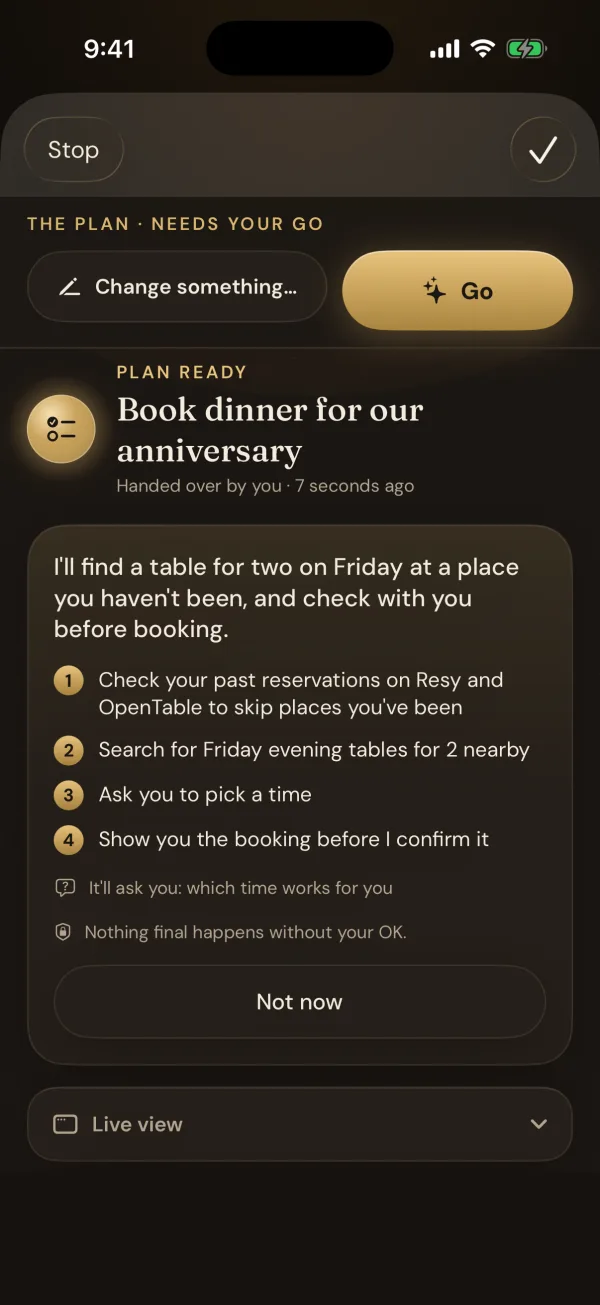
How it helps
A day with it, in five moments.
-
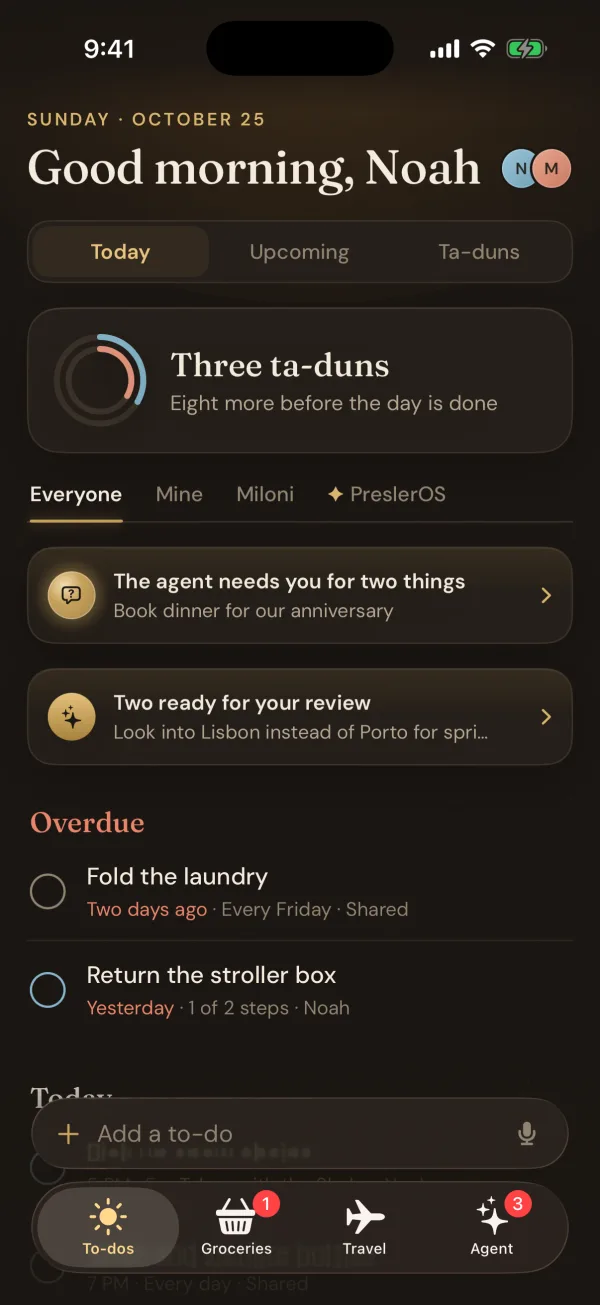
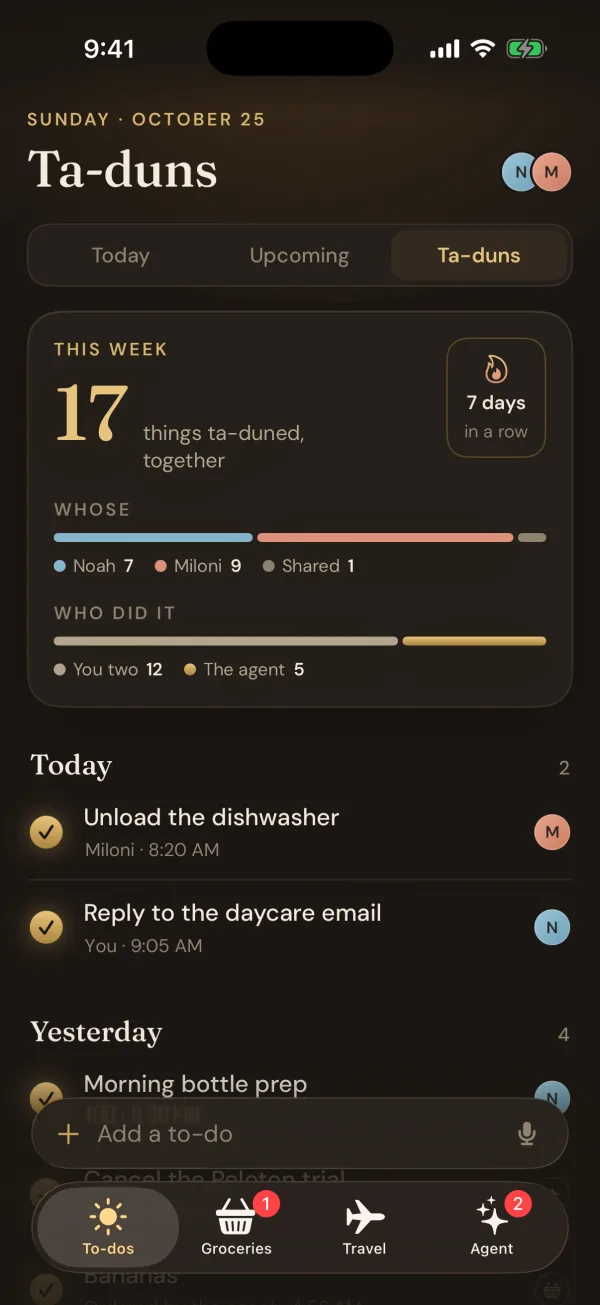
What's overdue, what's left today, how many ta-duns (done to-dos) so far, and what the agent needs from us, starting with dinner for our anniversary.
-
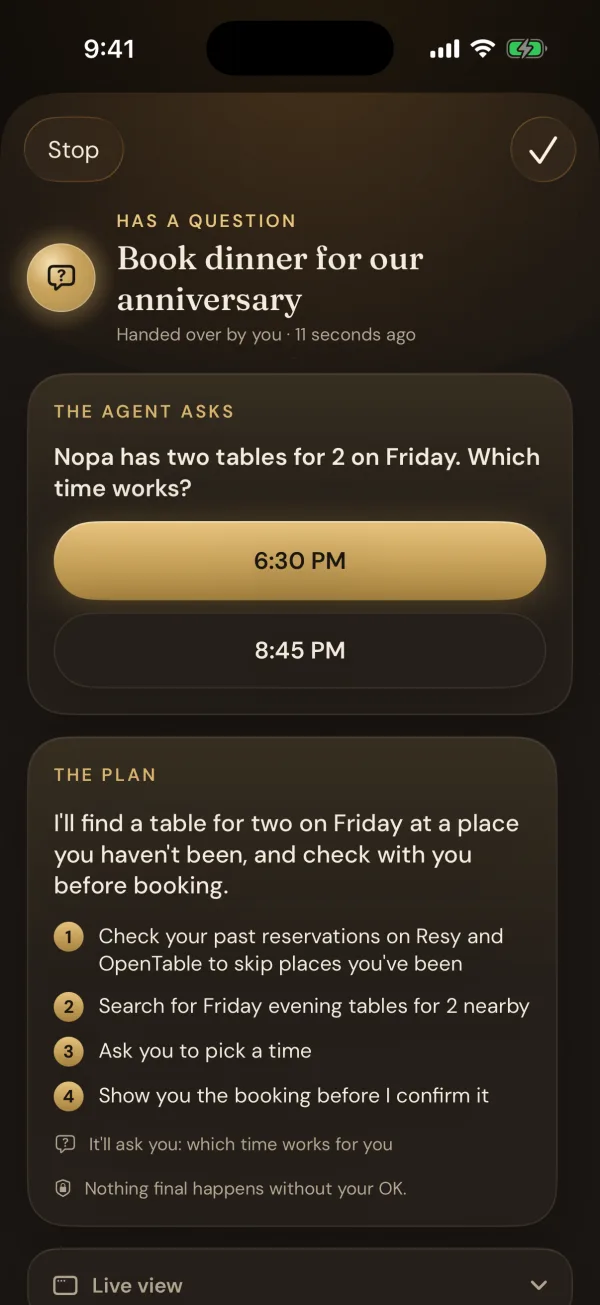
After Go, it searches on its own. It found two tables for two at Nopa on Friday and asks which time. Before it confirms, it shows the booking once more.
-
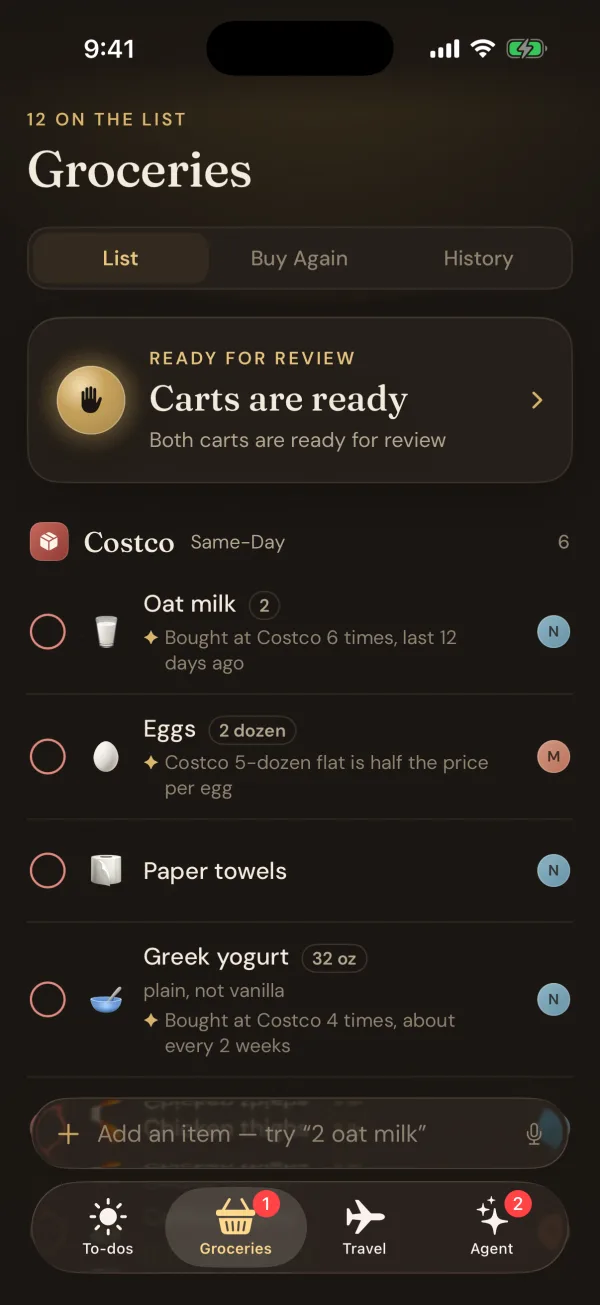
One shared list. The Mac fills a Costco cart and a Safeway cart, each item where we usually buy it, then waits for one Approve.
-
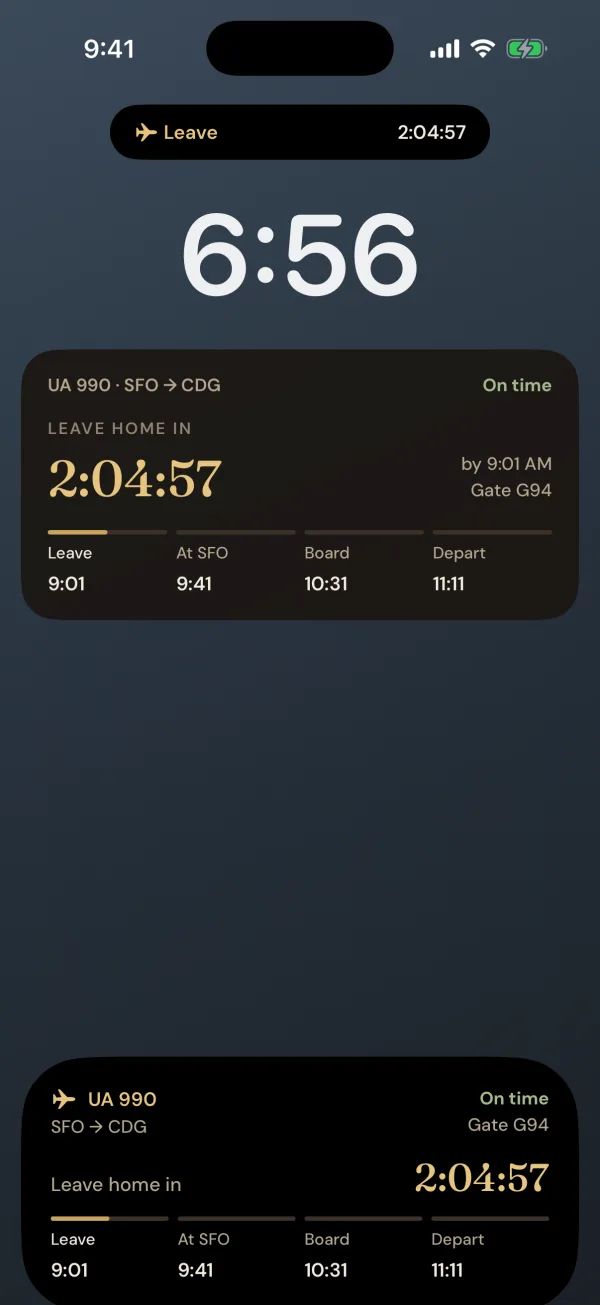
Bookings from Gmail file themselves into trips. On the day, the lock screen counts down to when to leave for the airport.
-
17 things done this week: 12 by us, 5 by the agent.
Why it works
Most lists remind you.
This one does it.
It lives in the app.
There's no chatbot to learn. The agent shows up on the to-do, the grocery list or the trip, right where the work already is.
It uses a real computer.
A Mac at home, signed in to our stores, airline and restaurants, using the same websites we do. Most of them have no API an agent could call.
Nothing final without a yes.
It shows a plan, waits for Go, and asks again right before it pays, books, sends or deletes. Every job keeps a receipt and a screenshot.
- Memory stays home. What it learns about us lives on the Mac, not in the cloud.
- Gmail is read-only. Only booking emails ever leave the Mac.
- Errands get a browser. No files, no shell, no account settings.
- Nothing at home is open. The Mac only ever reaches out.
Under the hood · for the technical folks
Nothing at home is open to the internet.
The phones never talk to the Mac directly. They talk to a small cloud service, and the Mac dials out to it, so there's nothing at home for anyone to reach.
Two iPhones
- A SwiftUI app, widgets and Live Activities
- Works offline with the last list
- The share sheet and screenshots go to the agent
A small cloud
- A Cloudflare Worker and database: the shared lists and trips
- Holds the Mac's one connection and relays to it
- Checks flights every few minutes and sends the pushes
WebSocket
The Mac at home
- The Claude Agent SDK, on a Claude subscription
- Drives its own signed-in Chrome with Playwright
- Memory, order history and receipts in SQLite
When the Mac is asleep, the house keeps running.
The lists, trips, flight alerts and pushes all live in the cloud. Anything that needs the Mac waits its turn and starts the moment it wakes.
It builds itself
Screenshot a bug. Get the fix.
When something's off, we take a screenshot. Claude files it, plans a fix with mockups and builds it, and nothing ships until we say so.
- You
Screenshot it
The app asks, “Tell the agent about this?” The picture stays private.
- ✦ Claude
Plans, then builds
A plan with mockups in the app's own design. After a go, a pull request across the app, the cloud and the Mac, checked by CI.
- You
Approve, then ship
One reply picks the direction. We merge it by hand, and it's on our phones the same day.